Getting Started
Create your account, install the app, connect your device, and start using MOONIX.
1. Unboxing
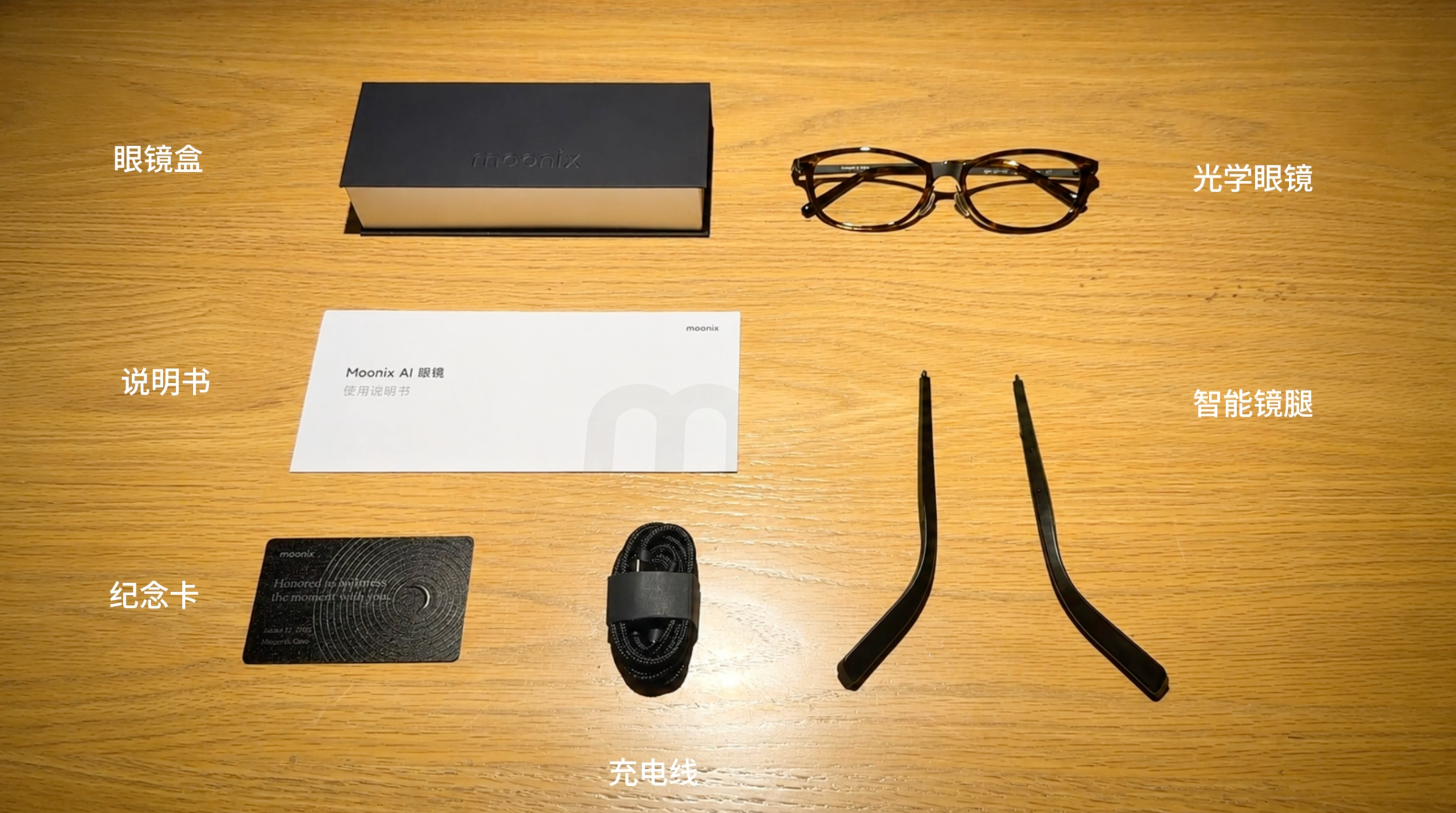
You will receive two boxes containing the following items:
- Moonix optical glasses
- Moonix glasses case
- Moonix AI smart temples
- One dual-end magnetic charging cable
- User manual
- Founders commemorative card (first 1,000 users only)
2. Detach the Temples
First remove the temples from the Moonix optical glasses as shown in the video, then install the AI smart temples in a similar way.
3. Pair Glasses with Phone
Press and hold both physical buttons for 3 seconds to power on. You will hear the startup sound and see the indicator light turn on.
Download and open the Moonix app, then follow the in-app guide to pair your AI glasses.
4. One-Tap Recording
There are two ways to record:
- Smart recording: After power-on, intermittently records voices/ambient sound without physical buttons; can be turned off in the app.
- Manual recording: Tap either side button once to start focused recording; tap again to finish.
5. AI Conversation
AI conversation: Double-tap either side button to start an AI conversation.
6. Charging
- Connect the Type-C end of the cable to a power adapter (adapter not included), and attach the magnetic charging tips to the magnetic ports on both smart temples to start charging.
- Charging status: The indicator blinks while charging and stays on when fully charged.
7. Power Off
- Press and hold either side button for 3 seconds to power off. (You will hear the shutdown sound and the indicator light will turn off.)
8. Restart Device
- Press either side button 5 times in a row to restart the AI glasses.
- After restarting, the AI glasses will automatically re-pair with the app—no manual action needed.
9. Using as a Bluetooth Speaker
The built-in speakers are mainly for alerts, so we do not recommend using the glasses as a phone speaker accessory. However, if you connect them via your phone’s Settings → Bluetooth, they can act as a speaker accessory and respond to basic controls, including:
- Answer / end a call: tap the temple twice.
- Decline a call: tap the temple three times.
- Play / pause music: tap the temple twice.